
Equipment
Pumps, mowers and sprayers, serviced on time
Trees n Bees keeps a maintenance log for the equipment on your farm. Each pump, mower, tractor and sprayer has its service schedule, by months or by the hours on its meter, and its services, repairs and costs. Home tells you when a service is coming up or overdue, and a pump that runs your watering times adds up its own hours.

A maintenance log for every piece of equipment
Add your pumps, irrigation controllers, mowers and slashers, tractors, sprayers, vehicles, chainsaws and other tools. Each one keeps its make and model, serial number, the day you bought it, what it cost and a photo of it, so the details are on your phone when you ring for parts or a mechanic.
- Each piece shows its last service, its hours, and what its upkeep cost in the last 12 months and in all.
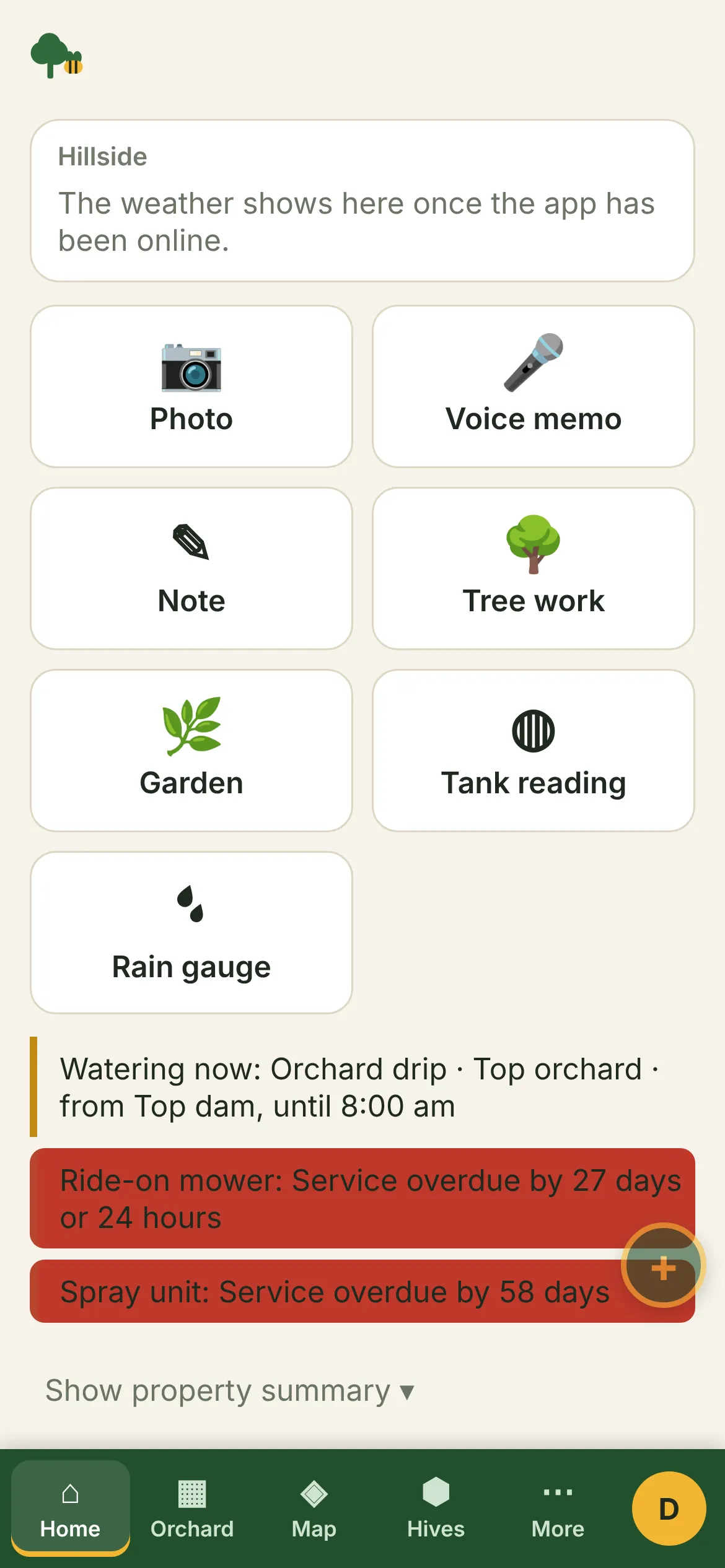
- The page puts overdue equipment first, in red, then what is due soon.
- Retire a piece you've sold or scrapped: its history stays, the reminders stop.
Service schedules by months or hours
Most manuals give a service interval in months, in hours of use, or both. Set either or both for each piece, and the next service falls due after whichever comes first, counted from the last service (or from when you bought it, before the first one).
- A ride-on mower every 6 months or 50 hours; a tractor every 12 months or 200 hours; a dam pump every year or 250 hours; a chainsaw once a season.
- Read the hour meter when you're there, or with a service or repair, and the hours left update straight away.
Reminders on Home and your phone
- A service due within a fortnight or 10 hours of use shows under Needs attention on Home; an overdue one shows in red, on phones under the record buttons.
- The Service due alert on your phone lists everything due or overdue, at most once a week, at the hour you choose for your alerts. Choose how far ahead it warns you, in days and in hours of use.
- Turn a due service into a job with one tap and give it to someone on the team. It shows on their phone with the other jobs, and when they tick it done, with the hour meter and the cost, the service goes into the machine's history and the reminder clears.
Services, repairs and what they cost
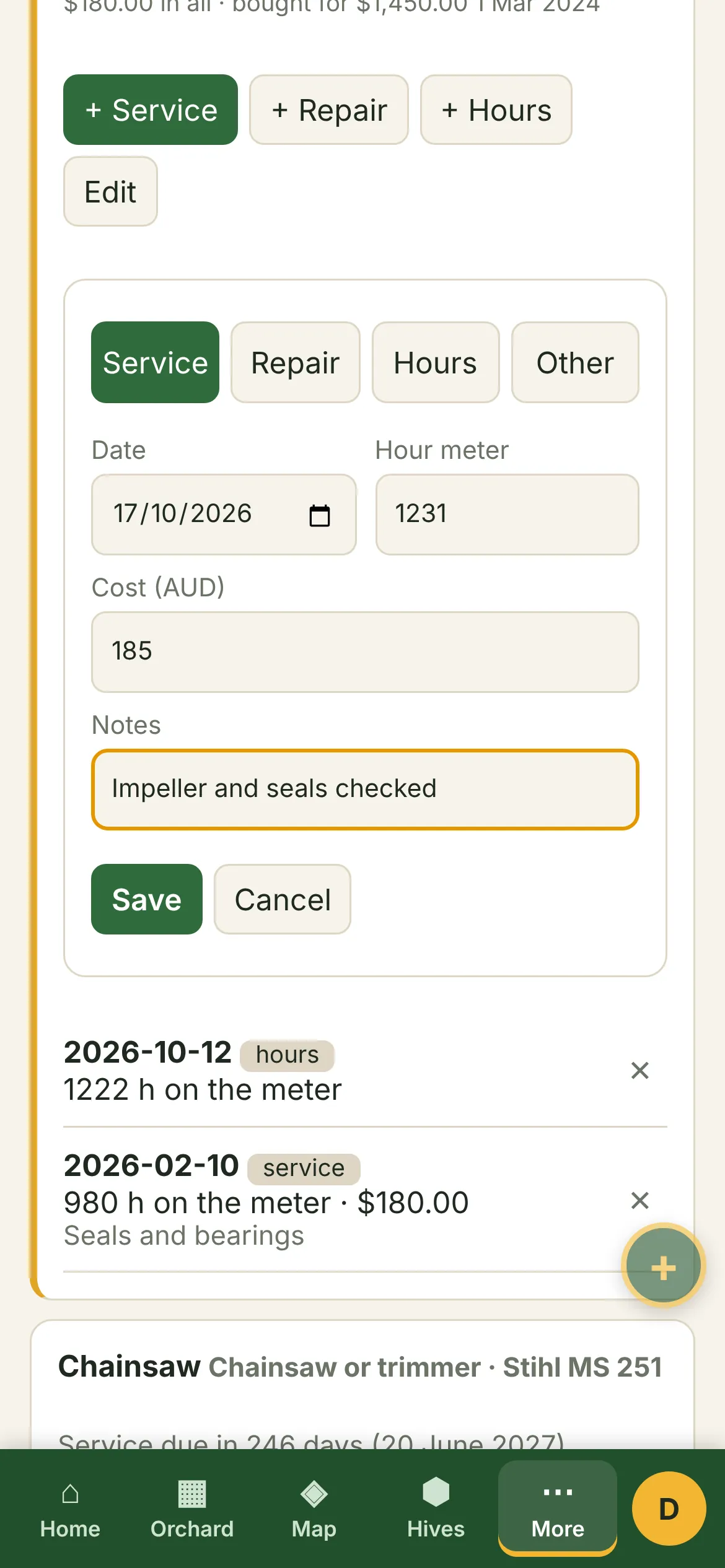
Record each service, repair, hour meter reading or other job with its date, the hours, what was done and what the parts and labour cost, and a photo of the worn part, the finished job or the invoice. The history sits under each piece, newest first, so the last oil change or drive belt is a glance away.
Upkeep costs go into the season's totals on the Costs page, beside your work, labour and other expenses, and into the Equipment log spreadsheet.
Pumps that count their own hours
An irrigation pump runs on a timer, so nobody reads its meter often. Name the pump on your watering times, and between meter readings its hours add up from the timetable: a 40-minute drip run three days a week adds two hours a week. Its service reminder keeps up without anyone typing hours in.
Read the meter now and then and the count starts again from your reading. A pump without a meter counts its timetable hours since the last service.
In the field and at the desk
On a phone, at the shed or beside the pump, recording a service is a few taps, saved on the phone first and uploaded when there's reception. On a computer, the Equipment page shows every piece side by side, with what each has cost to keep running, and the spreadsheet export has the equipment and its full log.
Who it suits
Growers with a dam pump, a ride-on and a sprayer who service them "when we remember", small orchards and market gardens that want to know what their equipment really costs to keep running, teams where more than one person uses the tractor, and anyone who has lost the receipt for the last repair.
Getting started
- Open Equipment and tap "+ Equipment".
- Add the name and kind, and the service interval from the manual: months, hours or both.
- Record the last service, and the hour meter if it has one.
- Name the pump on your watering times, so its hours count themselves.
- Switch on the Service due alert in My settings if you want it on your phone.
Common questions
Can Trees n Bees remind me when the tractor or mower needs a service?
Yes. Set the service interval from the manual, in months, hours of use or both, and Home shows it when a service is due within a fortnight or 10 hours, and in red once it is overdue. The Service due alert on your phone lists everything due, at most once a week.
How does it know the hours if I don't read the meter?
For a pump named on your watering times, the hours add up from the timetable between meter readings. For other equipment, read the hour meter when you are there or when you record a service or repair, and the hours left update from that.
Can I keep the cost of repairs and services?
Yes. Each service and repair keeps what the parts and labour cost. Each piece shows its upkeep for the last 12 months and in all, and the Costs page adds it to the season's totals.
What kinds of equipment can I add?
Pumps, irrigation controllers, mowers and slashers, tractors, sprayers, vehicles, chainsaws and trimmers, tools and anything else with a service schedule.
Can I record a service out in the paddock?
Yes. Entries are saved on the phone first and upload when there's reception. Open the app with reception before you head out, so it's ready.
Questions? See common questions, or all the features of Trees n Bees.