
Team and jobs
Your team on one record
Trees n Bees lets a small growing business share one property with the people who work it. Everyone records on their own phone, every entry shows who made it, and owners can give out the week's jobs for a block, a row or chosen trees. A job ticked done goes straight into the work log.

Owners, editors and viewers
- Invite staff, family or helpers by email from Property settings.
- Owners manage the property and its people, editors record work, viewers can look but not change anything.
- One account can run several properties, each with its own team. Market Garden allows up to 3 properties with 10 people on each.
Who recorded it
When more than one person works a property, each work log, photo, bloom date and harvest shows who recorded it, and the spreadsheet export has a "Recorded by" column on every sheet. Names show on the device even out of range.
Jobs for the team
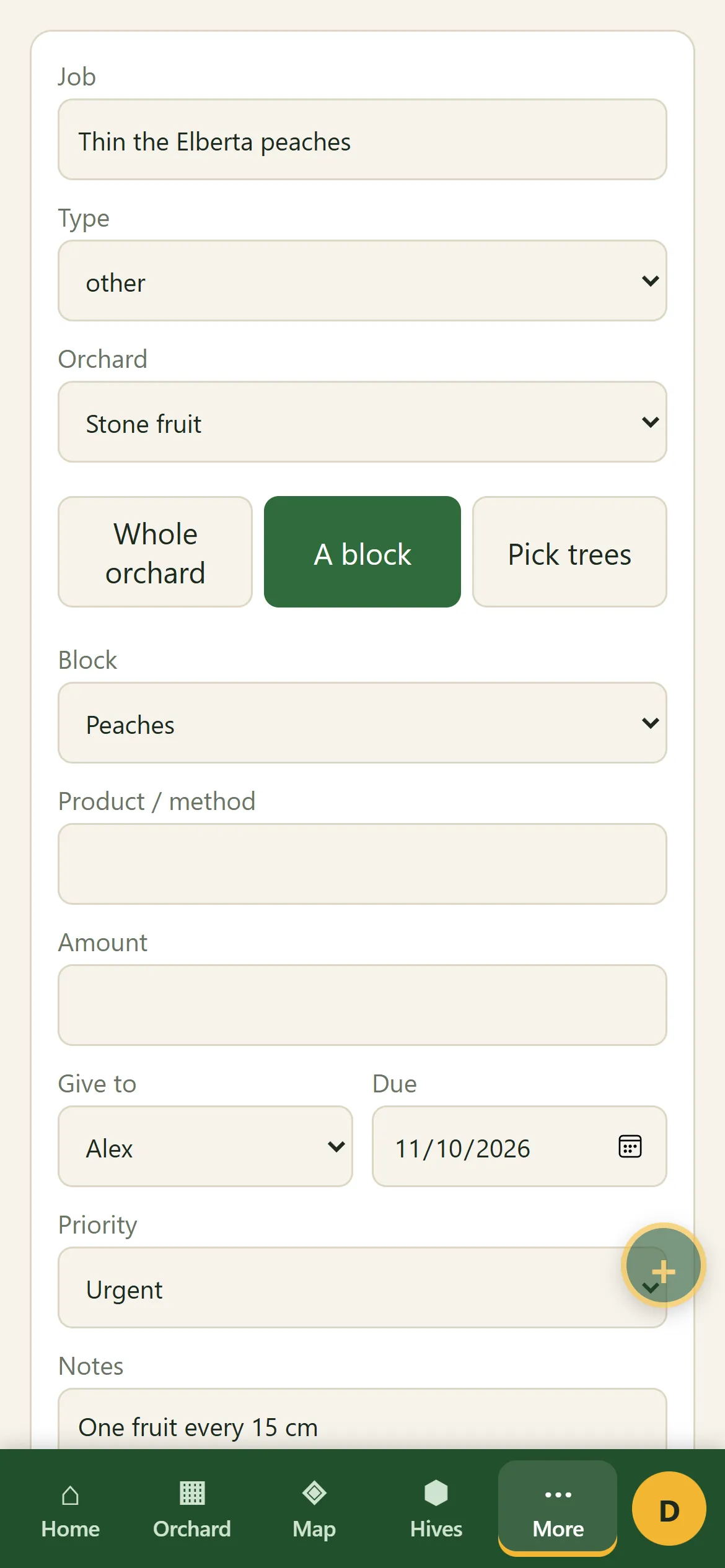
Owners and editors add a job for chosen trees, a block or a whole orchard, with a type, product and amount, a due date and a priority, and give it to someone on the property or to anyone.
- Jobs lists what's yours, what everyone has on, and what's done. Overdue jobs are marked.
- The navigation shows how many open jobs are given to you.
- Ticking a job done records it in the work log: one entry per tree, or one for the block or orchard. For a spray, the spray details go in too. Add the material cost and labour hours, and they are shared across the job's trees.
- A "Jobs due" alert on your phone lists your jobs due today, tomorrow or overdue.
Records out in the paddock
Entries are saved on the phone first and upload when there's reception, and the team's entries come down. Bulk logging records one job on a row or a block at once, and the capture button keeps a photo, voice memo or note to sort later.
In your team's language
Each person chooses the app's language on their own device: English (Australia, US or UK), Spanish (Español, beta) or Persian (فارسی, beta). Records keep what was typed, so changing language never changes them. The website, emails and exports stay in English.
Who it suits
Family-run orchards and market gardens with a few people doing the work, where the owner wants to give out the week's thinning or spraying and see it ticked off by block, without a whiteboard in the shed. It isn't built for large operations that need packing-shed, payroll or picker management.
Giving out a job
- Open Jobs and tap + Job.
- Name the job, choose the whole orchard, a block or pick trees, and the type of work.
- Give it to someone, set a due date and a priority, and save.
- They see it under Mine and tick it done when it's finished; it goes into the work log.
Questions? See common questions, or the home page for everything Trees n Bees does.