
Costs and budgets
What the season cost, and what it gave
Trees n Bees adds up what each season cost from what you already record in the field: trees, the materials and hours on each piece of work, the garden, equipment and your other expenses with their receipts. Set a budget, and see the cost per kg picked for each orchard and block.

Costs recorded as you go
Most of a season's costs are already in your records. A tree keeps what you paid for it. Each piece of work, a spray, a feed, a prune or a load of mulch, can keep what the materials cost and roughly how many hours it took, for one tree, a block or the whole orchard. Enter the cost for a row or a block and it is shared out across the trees, to the cent.
Labour hours are costed at the hourly rate you set for the property, so changing the rate re-prices the season. Equipment services and repairs keep their cost on the Equipment page, and garden bed work keeps its own.
Expenses with their receipts
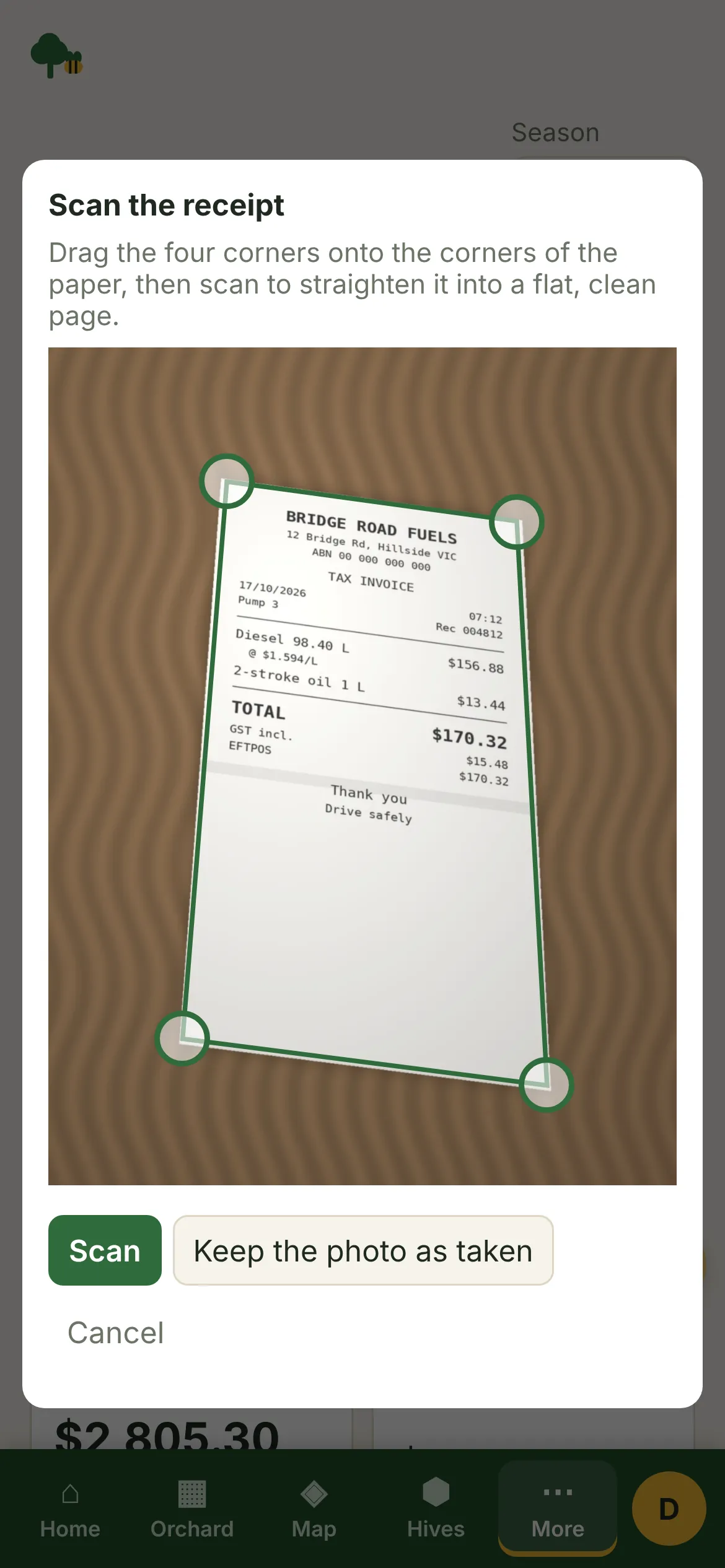
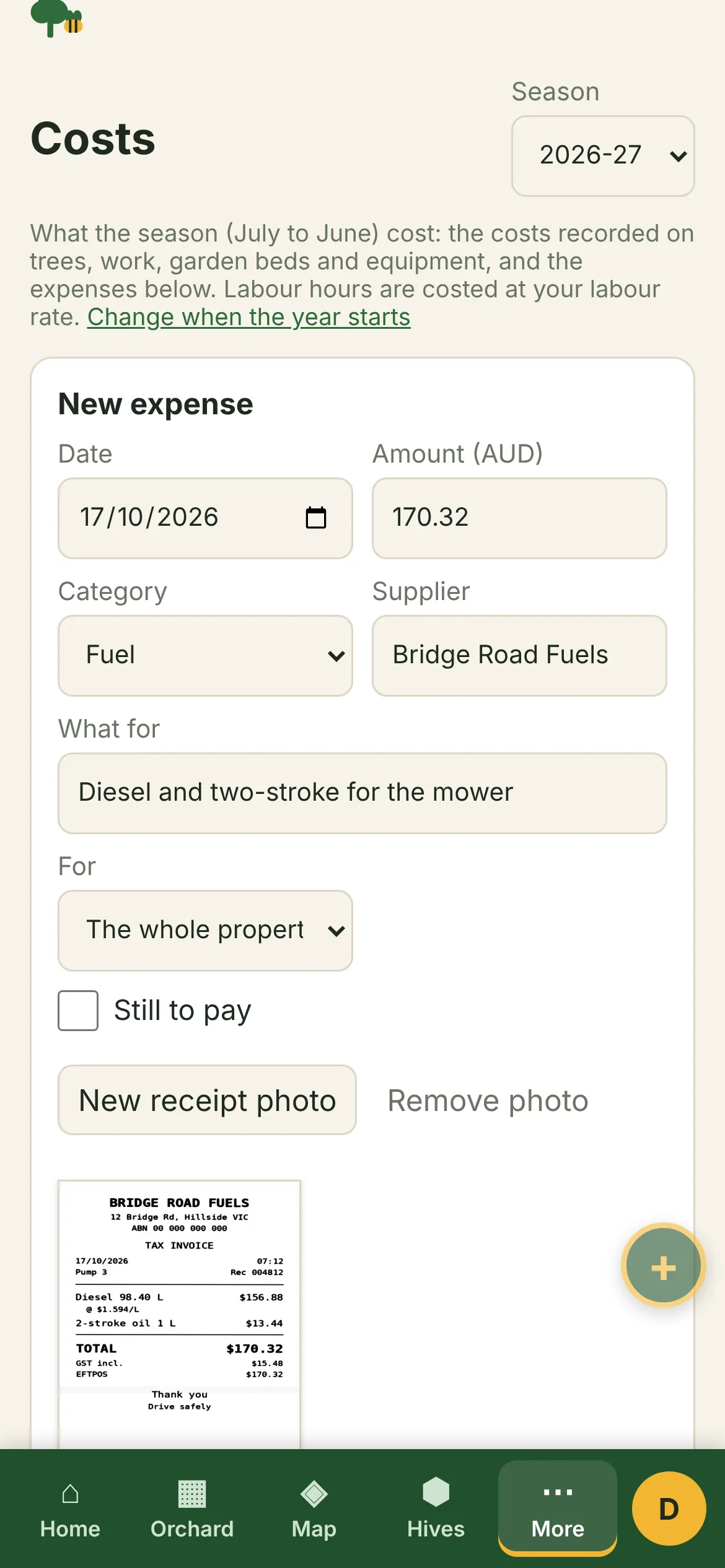
The rest goes in as expenses: money spent that isn't part of a piece of work. Take a photo of the receipt at the counter and the app scans it: it finds the paper's corners (you can drag them), straightens the receipt into a flat page and whitens it, so it reads like a scanned document rather than a photo of a table. Tap Read the receipt and the app reads the total, the date and the supplier off it and fills them in for you to check. The reading happens on the phone; the reader is a one-off download of about 4.5 MB the first time you use it.
- Fuel, power, water, fertiliser, sprays, plants and seed, tools, repairs, freight, insurance, fees and rates, wages and other.
- The supplier (the ones you've used before are offered), what it was for, and whether it's paid or still to pay.
- The orchard or block it was for, such as picking wages for the apple block, so it counts in that block's cost.
Each season added up
- Totals for trees bought, work materials, labour, the garden, equipment upkeep, equipment bought and expenses.
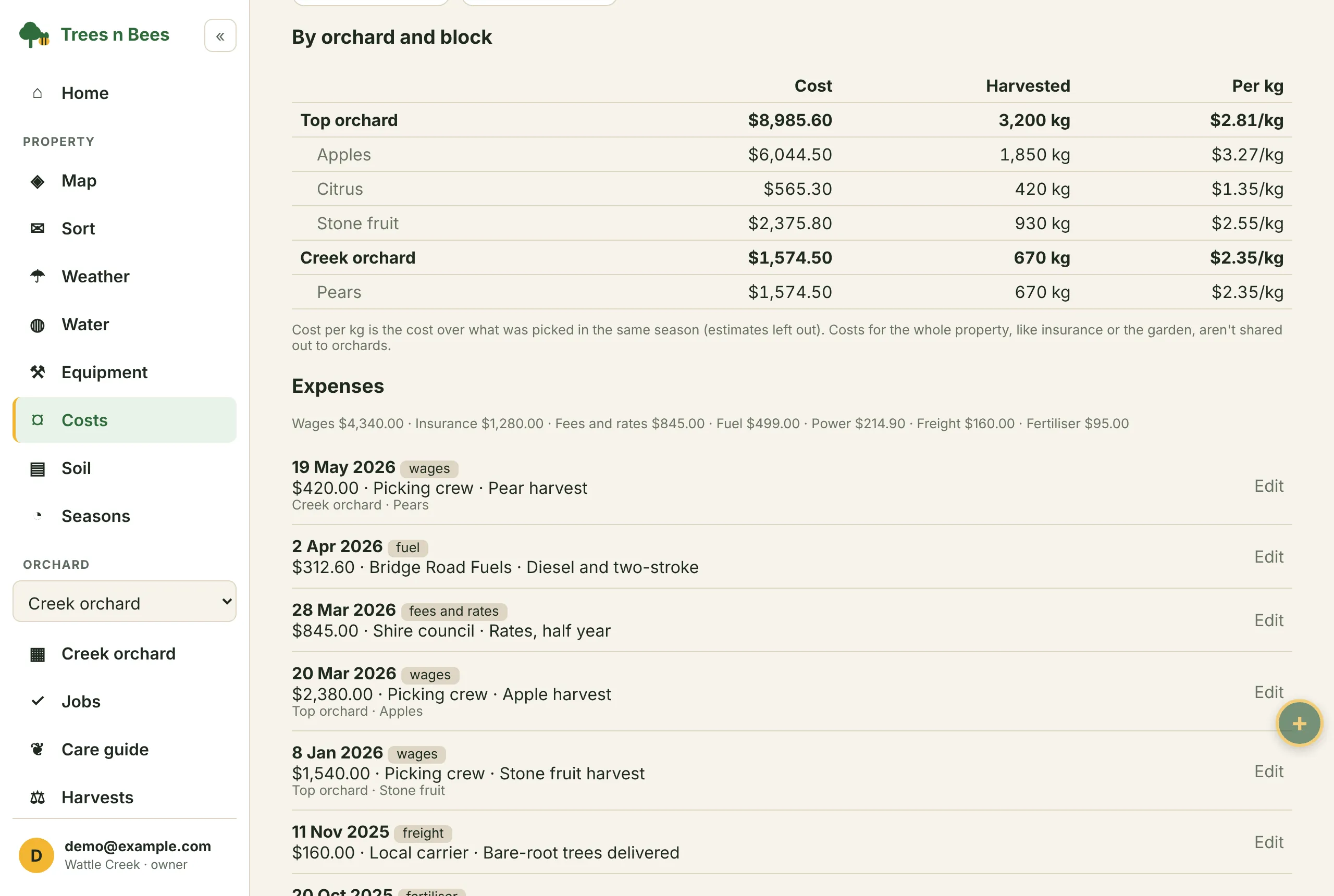
- What each orchard and block cost, from its trees, its work and the expenses named for it.
- The season's expenses by category, and how much is still to pay.
- What each piece of equipment cost to keep running, and what was bought.
- Every earlier season one tap away, to compare.
Budgets for the season
Set a budget for the season as a whole and for each kind of cost: trees, materials, labour, the garden, equipment and expenses. Each total shows a bar for how much of its budget has gone, and turns red with how much it's over once it is. Budgets stay with their season, so last year's sit beside last year's figures.
Cost per kg harvested
Each orchard and block shows its cost, the kilograms picked in the same season, and the cost per kg (or per lb). It shows which block pays its way and which costs more to grow than it brings in.
Estimated crops are left out, so only what was picked counts. Costs for the whole property, like insurance or rates, aren't shared out to the orchards; they stay in the property's totals.
Your year, your months
Choose the month your reporting year starts in Property settings: July for the Australian financial year and the southern growing season, January for a calendar year, or any other month your accountant works to. Left on automatic, it is January north of the equator and July south of it. The Costs page, Harvests and the season so far on Home all follow it.
In the field and at the desk
On a phone, an expense and its receipt go in where you paid, and a piece of work keeps its cost when you record it in the row. At the desk, the Costs page shows the season against its budget, block by block, and the spreadsheet export has the expenses, the work log and the trees with their costs, ready for your accountant or your own spreadsheet. Trees n Bees isn't accounting software: it keeps the farm's side of the story.
Who it suits
Small orchards and market gardens that sell their fruit and want to know what a kilo costs to grow, family farms that want the season's figures in one place for the accountant, and growers deciding whether a block is worth replanting.
Getting started
- Set the currency, the labour rate and the month your year starts in Property settings.
- Add costs and labour hours as you record work, and a cost on trees as you plant them.
- Add expenses on the Costs page as they come in, with a photo of each receipt.
- Set the season's budgets, and record your harvests to see the cost per kg.
Common questions
How do I work out the cost per kg of my fruit?
Record the costs on your work and trees, the expenses for each orchard or block, and your harvests in kilograms. The Costs page divides each orchard's and block's cost by the kilograms picked in the same season, leaving out estimated crops.
Can I keep receipts in Trees n Bees?
Yes. Each expense can keep a photo of its receipt, taken with your phone when you pay and scanned into a straight, clean page. The app can read the total, date and supplier off the receipt and fill them in for you to check. Receipts are backed up to the cloud on plans with photo backup.
Can I set a budget for the season?
Yes. Set a budget for the whole season and for each kind of cost. Each total shows how much of its budget has gone, and turns red once it is over.
My financial year starts in July. Can the reports follow it?
Yes. Choose the month your reporting year starts in Property settings. Australian properties start in July by default, properties north of the equator in January.
Is it accounting software?
No. Trees n Bees keeps the farm's costs, budgets and harvests and exports them as spreadsheets. Your accountant or bookkeeping software looks after tax and BAS.
Questions? See common questions, or all the features of Trees n Bees.